
Service Request
Complete this form and we will contact you as soon as possible.
For emergencies call: 1-800-536-4056
Thank you! Your submission has been received!
Oops! Something went wrong while submitting the form.
Complete this form and we will contact you as soon as possible.
For emergencies call: 1-800-536-4056


Instead of manually checking leak alarms and calling through an outdated contact list, connect your building automation system to a documented water damage response workflow that notifies the responsible person, escalates unanswered alerts, and records the incident. Keep automated detection separate from professional mitigation: an alarm identifies a condition; trained responders assess the damage and determine the restoration work.
Key takeaways
A building automation system can report a leak without getting anyone to the building. Your response workflow must close that gap by assigning ownership, requiring acknowledgment, and preserving information for the facilities team, restoration professionals, and insurer.
Hays + Sons is best for property owners who need professional water damage restoration rather than building automation programming. Hays + Sons provides 24/7 restoration services for residential and commercial properties in Indiana, Ohio, and Northern Kentucky. Your controls contractor handles the automation connection; your restoration team handles mitigation and recovery.
For your 2026 operating plan, treat this as an incident-response configuration, not simply another alarm notification. A useful alert tells the recipient where to go, what triggered it, who owns the response, and how to acknowledge it.
This guide describes the configuration logic rather than platform-specific menus. Interface labels differ across building automation products, so have your administrator map each requirement to the documented settings in your installed system. Do not paste an example setting into production without checking its behavior.
Expected result: A controlled test produces an event tied to the correct physical location, with a readable timestamp and an unambiguous condition.
Avoid names that only the original installer understands. A recipient responding after hours needs a usable location, not just an internal equipment code. Keep technical identifiers in the record, but pair them with plain-language directions.
For the 2026 sensor register, document who maintains each location mapping. Renovations and equipment moves can leave a technically functioning alarm pointing responders toward the wrong room.
Expected result: The primary recipient can acknowledge a test alert, and an unanswered test reaches the designated backup through the configured route.
Keep sensitive information out of broad distribution lists. For healthcare organizations and schools, an alert should identify the affected area without including patient, student, or other confidential information.
Notification-only workflow
Notification with approved shutoff
Use notification-only routing until qualified personnel approve any automatic isolation. Never connect a general leak rule to fire protection, clinical equipment, or other essential supplies without the responsible specialists' authorization.
Expected result: An authorized responder can open one incident record and understand what happened, who responded, and what remains unresolved.
Professional water removal, drying, and assessment belong with trained restoration specialists. Do not enter standing water, handle suspect electrical equipment, or disturb affected building materials to investigate an alarm.
Hays + Sons provides insurance coordination and advocacy alongside water damage restoration. Its certified restoration specialists have completed more than 40,000 restorations; the company also identifies a one-to-two-hour emergency response and a two-year project warranty. Confirm dispatch expectations and the applicable project terms directly rather than programming those statements as guaranteed automation deadlines.
An insurer determines coverage under the policy. Neither an automation event nor a restoration contractor's involvement establishes that a loss is covered.
Expected result: Your team can demonstrate a complete response path and explain how it behaves when the normal route fails.
Keep the approved 2026 configuration record separate from working notes. That gives the next administrator a clear baseline when a contact, sensor, or notification route changes.
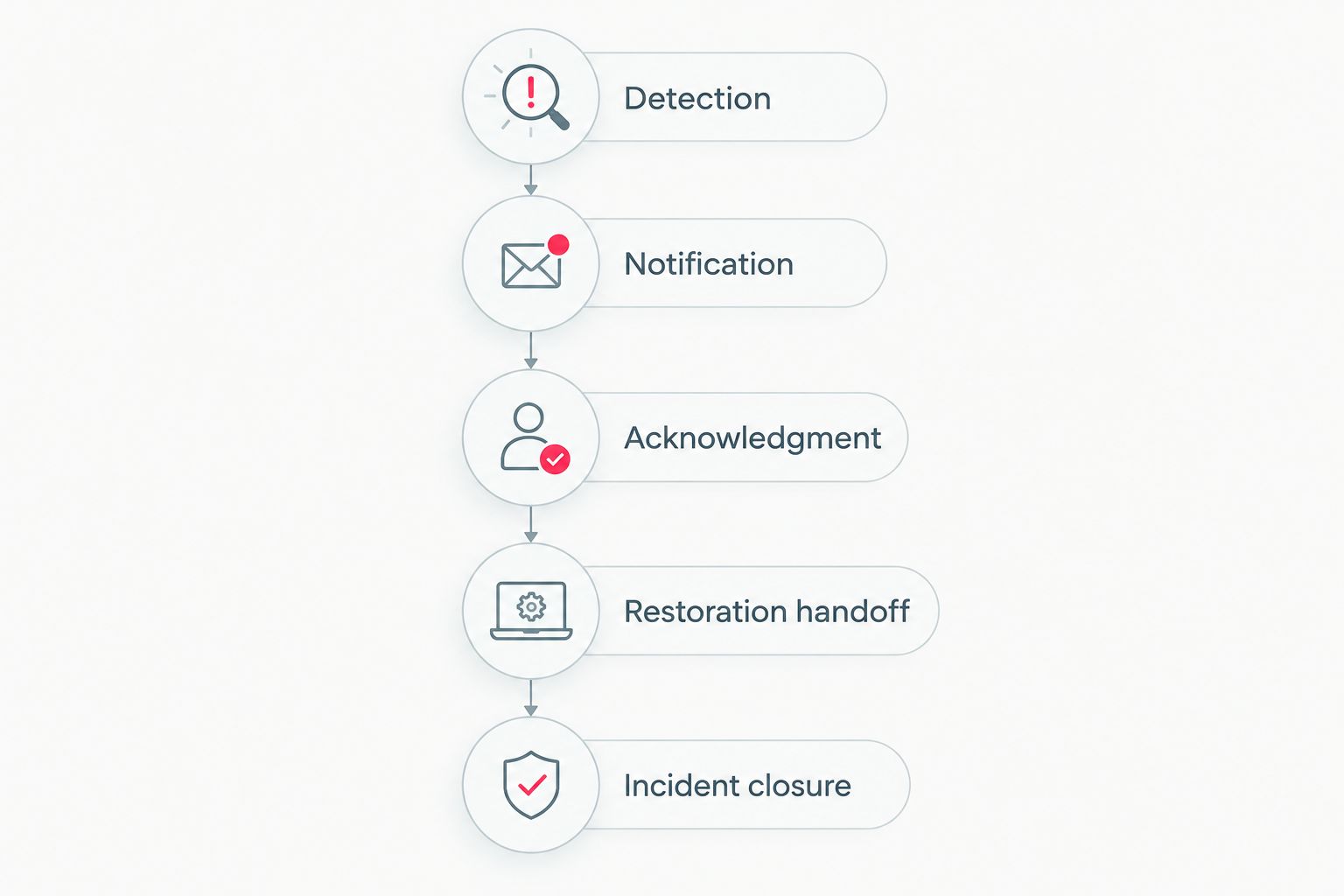
A cleared alarm and a closed restoration incident are different events.
A second useful workflow handles changes after the initial alert. Configure this separately from new-alarm routing so responders can distinguish a new location from an update to an existing incident.
For your 2026 response procedure, define which updates require action:
Best for occupied commercial buildings: Update-based routing keeps the facilities lead informed without treating every status change as a fresh emergency. Its limitation is configuration complexity: poorly defined update rules create repetitive notifications.
Have the administrator confirm how the receiving system associates updates with existing incidents. If reliable event matching is unavailable, use a documented manual reconciliation process rather than assuming separate alerts belong to the same loss.
Check the configured notification route, recipient details, permissions, and delivery logs. Test the destination independently, then repeat the complete workflow. Do not treat an event visible on the building automation screen as proof of delivery.
Review how the integration identifies an existing event and handles repeated active signals. Keep reminders attached to the original incident where supported. Do not suppress all repeat alarms; a genuinely new affected location still needs attention.
Separate the return-to-normal signal from incident closure. Require authorized review of the response and restoration records. Surface conditions at one detector do not establish that surrounding materials are dry.
Compare the physical sensor, building automation point, and incident location field. Correct the mapping at its source and repeat the test. Update the location register so future administrators do not restore the incorrect label.
Keep that automation disabled until qualified personnel verify the valve, served systems, control logic, and approval requirements. Continue using the approved notification route. Never troubleshoot an isolation sequence by repeatedly operating valves serving occupied or essential areas.
For your 2026 maintenance plan, make ownership changes a trigger for retesting. A new property manager, controls contractor, or after-hours provider can break the response chain without changing a single sensor.
Adapt the handoff to the property:
Keep prevention connected to the same register. Track unresolved plumbing issues, recurring alarm locations, and maintenance findings so the facilities team can address causes rather than repeatedly clearing notifications.
Arrange professional restoration support
Discuss water damage response, documentation, and restoration support for your property.
How do I connect a building automation system to water damage response?
Connect the leak event to an approved notification route, require acknowledgment, configure escalation, and preserve an incident record. Have your controls contractor verify the supported connection and test the complete route before enabling it.
Can a building automation system automatically call a restoration company?
Automatic contractor notification requires a supported connection and an agreed receiving process. Confirm consent, monitored contact details, authorization, and acknowledgment procedures rather than assuming an outbound message creates a dispatch.
Should a leak sensor automatically shut off the water?
Automatic shutoff requires a qualified review of the affected supply and an approved isolation plan. Use notification-only routing until responsible personnel confirm that shutoff will not interfere with essential systems.
Does a cleared leak alarm mean the building is dry?
No. A cleared leak alarm describes the detector's condition, not moisture throughout the building. Trained restoration professionals assess affected materials and determine the necessary drying work.
What information should a water damage alert include?
Include the property, precise location, sensor identity, event time, condition, response owner, and acknowledgment instructions. Keep sensitive access details in an access-controlled record rather than a widely distributed message.
Can automation records help with an insurance claim?
Automation records can document detection, notifications, and response timing for an insurance claim. Preserve them alongside photographs, communications, and restoration records; coverage remains subject to the policy and insurer's determination.
Who should configure the integration and handle cleanup?
An authorized building automation administrator or controls contractor should configure the integration, while trained restoration specialists handle water damage mitigation. Hays + Sons provides water damage restoration and insurance coordination, not an assumed building automation installation service.
Test the handoff, not just the detector. During commissioning, ask the on-call recipient to explain the next action using only the alert and its linked incident record. If the recipient cannot identify the location, access procedure, and responsible decision-maker, revise the workflow before relying on it.